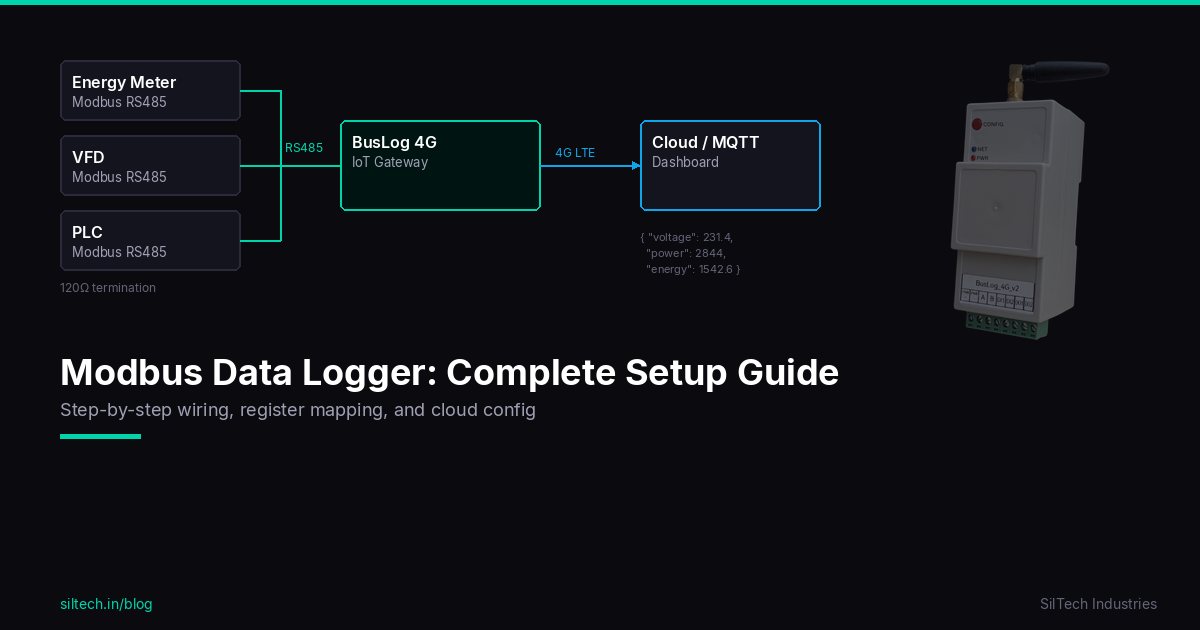
Choosing an industrial IoT gateway is not only about checking whether the device has RS485 and 4G. On a real site, the gateway must read multiple Modbus devices reliably, survive network failures, send clean data to the cloud, and remain easy to maintain after installation.
This guide explains what to check before selecting a Modbus IoT gateway for energy meters, PLCs, VFDs, flow meters, DG controllers, sensors, and other industrial equipment.
Start with the site requirement, not the hardware
Before comparing gateways, list the actual site requirement.
Ask these questions:
- Which devices need to be monitored?
- Are they Modbus RTU, Modbus TCP, pulse, analog, or digital I/O?
- How many devices are on one panel or site?
- How often should data be collected?
- Does the site have WiFi/LAN, or is 4G required?
- What cloud platform will receive the data?
- Is local data storage required during network failure?
- Who will configure and maintain the gateway after installation?
A good gateway should match the field reality. A product that works on a desk can still fail in a factory panel if RS485 wiring, power, network, and recovery behavior are not handled properly.
1. Check Modbus RTU and RS485 support
Most industrial meters and controllers use Modbus RTU over RS485. The gateway should act as a Modbus master and poll each slave device at a configured interval.
Important points to verify:
- RS485 port with proper industrial protection
- Support for multiple slave IDs on one bus
- Configurable baud rate, parity, stop bits, and timeout
- Support for holding registers, input registers, coils, and discrete inputs
- Configurable register address, quantity, data type, and byte order
- Read retry logic for noisy sites
For RS485 wiring practices, see the guide on RS485 wiring best practices.
2. Confirm Modbus TCP support if Ethernet devices are involved
Some PLCs, energy meters, and modern controllers support Modbus TCP over Ethernet. If your site has Modbus TCP devices, confirm whether the gateway supports Ethernet or TCP polling.
For many industrial sites, Modbus RTU is still more common because RS485 is robust, low-cost, and already available in most meters. But mixed sites are increasing, so it is useful to choose a platform that can handle both architectures when required.
If you are comparing the two, read Modbus TCP vs Modbus RTU.
3. Choose the right connectivity: 4G, WiFi, or LAN
Connectivity is one of the most important buying decisions.
| Connectivity | Best for | Watch out for |
|---|---|---|
| 4G LTE | Remote sites, borewells, DG sets, factory panels without LAN | Signal strength, antenna placement, SIM data plan |
| WiFi | Indoor sites with stable plant WiFi | Password changes, weak coverage inside panels |
| LAN/Ethernet | Fixed control rooms and IT-managed plants | Cabling, IP allocation, firewall rules |
For Indian industrial sites, 4G is often the safest default because many panels do not have dependable Ethernet or WiFi. A gateway with both 4G and WiFi gives more flexibility.
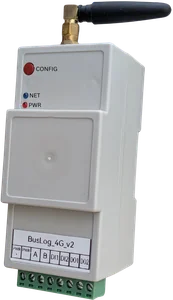
SilTech BusLog 4G supports 4G LTE with WiFi connectivity for industrial Modbus data logging.
4. Verify cloud protocol support
The gateway must send data to your chosen platform. Common cloud protocols include:
- MQTT
- TCP/IP
- HTTPS / REST API
MQTT is widely used for IoT because it is lightweight, reliable over unstable networks, and easy to integrate with dashboards. HTTPS is useful for API-based systems. TCP is used in some custom industrial servers.
Before buying, confirm:
- Can the gateway send JSON payloads?
- Can the payload format be mapped to your cloud requirement?
- Does it support authentication?
- Does it support TLS where required?
- Can the topic, endpoint, port, and credentials be configured?
For protocol selection, the blog Setting Up MQTT for Industrial IoT is a good starting point.
5. Do not ignore local storage
Industrial internet links fail. SIM networks go down, antennas get moved, WiFi credentials change, and routers restart.
A production-grade gateway should keep reading field devices during network failure and store the readings locally. When connectivity returns, it should upload buffered data without manual action.
This is often called store-and-forward or local buffering.
Without local storage, every network outage becomes a data gap. For energy monitoring, water telemetry, and compliance reporting, those gaps can create serious problems.
6. Check configuration experience
A gateway should be field-friendly. Engineers should be able to configure it without rewriting firmware.
Useful configuration features:
- Local web UI or setup portal
- Device profile library for common meters
- Configurable register maps
- Import/export of configuration
- Separate polling and upload intervals
- Clear network status page
- Clear Modbus diagnostics
- Remote configuration where appropriate
If every new meter requires custom code, deployment becomes slow and maintenance becomes dependent on one developer. A configurable gateway is easier to scale.
7. Look for digital I/O when control signals matter
Many sites need more than Modbus values. Digital inputs and outputs are useful for:
- Pump ON/OFF status
- DG running status
- Trip input
- Door/tamper switch
- Relay control
- Alarm acknowledgement
- Runtime calculation
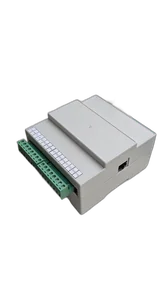
If your use case includes status monitoring or control, choose a gateway with suitable I/O. SilTech BusLog IO UNI is useful when universal I/O and broader signal handling are needed.
8. Match the gateway to the environment
Industrial panels are not friendly environments. Check the mechanical and electrical details:
- Input power range
- Reverse polarity protection
- DIN rail or panel mounting
- Enclosure material
- Operating temperature range
- Terminal quality
- ESD and surge protection
- Antenna placement options
- LED or buzzer indication for field diagnostics
A good enclosure and stable power design reduce site callbacks.
9. Confirm time synchronization
Every reading needs the correct timestamp. The gateway should synchronize time automatically using NTP, network time, or another reliable method.
This is especially important for:
- Energy reports
- Production shift analysis
- Fault timelines
- Compliance telemetry
- Multi-site comparison
If timestamps drift, dashboards become confusing and reports lose trust.
10. Plan for alerts and diagnostics
A gateway should not silently fail. It should help the user understand what is wrong.
Minimum diagnostics should show:
- Gateway online/offline status
- Last successful cloud upload
- Last Modbus poll result
- Signal strength
- SIM/network status
- Local buffer status
- Device restart or power-loss events
For alerts, configure notifications for communication loss, no data, abnormal values, and site-specific faults.
Recommended selection checklist
Before finalizing the device, confirm this checklist:
| Requirement | Confirmed? |
|---|---|
| Supports Modbus RTU RS485 | ☐ |
| Supports required number of slave devices | ☐ |
| Supports required data types and byte order | ☐ |
| Works with 4G/WiFi/LAN needed at site | ☐ |
| Supports MQTT/TCP/HTTPS cloud protocol | ☐ |
| Has local storage for network failure | ☐ |
| Has field-friendly configuration | ☐ |
| Has diagnostics for Modbus and network | ☐ |
| Supports required I/O | ☐ |
| Has suitable enclosure and power range | ☐ |
| Can be commissioned and maintained easily | ☐ |
Which SilTech gateway fits your use case?
Use BusLog 4G when you need a 4G industrial Modbus gateway for energy meters, flow meters, PLCs, VFDs, and general remote monitoring.
Use BusLog IO UNI when the site needs additional I/O flexibility along with industrial data logging.
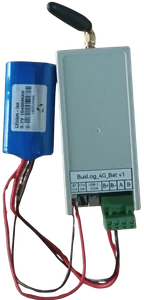
Use BusLog BAT when the site is remote or battery-powered and the monitoring interval can be optimized for long battery life.
For water and flow-specific telemetry, Flow Telemetry 4G may be the better fit.
Final advice
The best industrial IoT gateway is not the one with the longest feature list. It is the one that keeps reading data, survives field conditions, recovers from network failures, and remains simple for the maintenance team.
For Modbus sites, prioritize RS485 reliability, configurable register mapping, 4G connectivity, local storage, cloud protocol flexibility, and clear diagnostics. These are the features that decide whether a project runs smoothly after installation.