™
™

RS485 is one of the most reliable industrial communication standards — it runs at up to 1200 metres, handles noisy environments, and supports 32 devices on a single bus. But it's also surprisingly easy to wire wrong. A bad RS485 installation looks fine on paper and fails intermittently in the field.
This guide covers the wiring practices that determine whether your Modbus installation runs reliably for years or becomes a source of constant troubleshooting calls.
The Basics: What RS485 Actually Is
RS485 is a differential signalling standard. Data is transmitted as a voltage difference between two wires — A and B (sometimes called D+ and D-, or TX+ and TX-). The receiver detects the difference between A and B, not the absolute voltage. This is what makes it noise-immune — interference that hits both wires equally gets cancelled out.
The implication: both wires matter equally. Any wiring problem that affects the differential signal — wrong polarity, unequal impedance, ground loops — degrades communication.
Rule 1: Daisy Chain, Not Star
RS485 is a bus topology. Devices connect in a line — one after another — with the gateway at one end.
[BusLog] ─── [Device 1] ─── [Device 2] ─── [Device 3]
                                                  ↑
                                          Termination resistor here
What people do wrong: Run a separate cable from the gateway to each device. This creates a star topology with stubs.
         ┌── [Device 1]
[BusLog] ┼── [Device 2]    ← This is wrong
         └── [Device 3]
Each stub acts as an antenna — it reflects the RS485 signal back onto the bus. At slow baud rates (2400, 9600) and short distances, you may get away with it. At 115200 baud or with 10+ devices, star topology causes constant CRC errors and timeouts.
If your panel layout makes daisy chaining difficult: Keep stub lengths under 30cm. Route cable along the panel to achieve a physical bus even if the devices aren't in a straight line.
Rule 2: Termination Resistor at the Far End
An RS485 bus with unterminated ends has signal reflections — the transmitted signal reaches the end of the cable, has nowhere to go, and bounces back. The reflected signal overlaps with the next transmission and causes data errors.
Fix: Place a 120Ω resistor across A and B at the far end of the bus (the last device). 120Ω matches the characteristic impedance of standard RS485 cable.
Where NOT to put it: - Not in the middle of the bus - Not at both ends unless your bus is very long (>100m at high baud rates) - Not on every device
When you can skip it: - Very short buses (under 5m) at slow baud rates (9600 bps or slower) - Star topologies where the bus structure makes termination ineffective anyway (fix the topology instead)
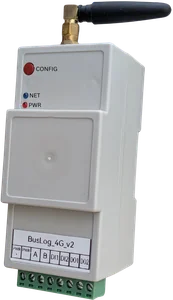
The BusLog 4G has a built-in software-configurable termination resistor. Enable it via the web UI if the BusLog is at one end of the bus and you want to terminate at both ends for long runs.
Rule 3: Common Signal Ground
RS485 is differential, so technically it doesn't require a ground connection. In practice, in industrial environments, it does.
Here's why: the RS485 common mode voltage range is typically ±7V. If two devices are powered from different sources with different ground potentials, the common mode voltage at the receiver can exceed this range. The receiver clips or misreads the signal. You get intermittent errors that worsen when heavy loads switch on nearby.
Fix: Connect the signal ground (GND) terminals of all RS485 devices together with a third wire or drain wire.
In shielded cable: use the drain wire as the ground reference. Connect the drain to ground at one end only — the gateway end. Grounding both ends creates a ground loop that can introduce more noise than it eliminates.
Rule 4: Use the Right Cable
Minimum spec for RS485: - Twisted pair — the twist is what gives RS485 its noise immunity. Untwisted wire degrades performance significantly - 120Ω characteristic impedance — standard RS485 cable is rated for this - 24 AWG conductor — balances resistance and flexibility
Recommended: Belden 9841, Belden 3105A, or equivalent industrial RS485 cable. These are shielded twisted pair (STP), 120Ω, 24 AWG.
For industrial environments near VFDs, motors, or high-current cables: - Always use shielded cable - Route RS485 cables away from power cables — maintain at least 20cm separation - Cross power cables at 90° if crossing is unavoidable
Maximum cable lengths at common baud rates:
| Baud Rate | Max Length |
|---|---|
| 9,600 | 1,200m |
| 19,200 | 600m |
| 57,600 | 200m |
| 115,200 | 100m |
These are guidelines. Actual performance depends on cable quality, number of devices, and noise environment.
Rule 5: Address and Baud Rate — Verify Physically
The most common cause of "Modbus not working" is a configuration mismatch — not a wiring problem. Before suspecting the wiring:
- Confirm baud rate on each device (DIP switch or config menu) matches the gateway setting
- Confirm slave address on each device is unique and matches what the gateway is polling
- Confirm parity setting matches (most devices default to None; some use Even)
One device per address. If two devices share the same address, both respond simultaneously and corrupt each other's transmission. The bus locks up.
Diagnosing RS485 Problems in the Field
60-Second Multimeter Check
With all devices powered and wired, measure voltage across A and B at the gateway:
- Idle bus (no transmission): A should be 0.2–0.5V higher than B (bias maintained by the master)
- During transmission: You should see rapid voltage fluctuations
- A and B equal (0V difference): Wiring fault — check connections, check for short between A and B
- Voltage reversed: A and B swapped — swap the wires
Systematic Isolation
If communication fails with multiple devices: 1. Disconnect all devices except one. Test with just the master and one slave. 2. If it works with one device, add devices one at a time until you find the problem device 3. A device with a failed RS485 transceiver can pull the bus low and kill all communication
Oscilloscope Check (if available)
A working RS485 signal on an idle bus shows the bias voltage. During transmission, you should see clean square wave transitions between approximately +1V and -1V differential. A noisy, rounded, or irregular waveform indicates a wiring problem, impedance mismatch, or cable length issue.
Quick Reference Checklist
| ✅ Check | Detail |
|---|---|
| Daisy chain topology | No stars, stubs under 30cm |
| 120Ω termination | At the far end of the bus |
| A to A, B to B | Correct polarity at every device |
| Common signal ground | One ground reference for all devices |
| Shielded cable in noisy areas | Shield grounded at one end only |
| Unique slave addresses | No duplicates on the bus |
| Baud rate matches | Same on gateway and all slaves |
| Parity matches | Usually None — verify for each device |
| Cable separated from power wiring | ≥20cm separation |
| Termination at one end only | Unless bus is very long |
A correctly wired RS485 bus is boring — it just works. Every callout we've had to a site with Modbus reliability issues traced back to one of the items on this checklist.
Wire it right the first time and you won't be back.
Need help commissioning an RS485 Modbus installation? Contact us.