MQTT has become the de facto standard for IoT data transport. Lightweight, reliable, and designed for unreliable networks — it's what most industrial IoT gateways use to push data to the cloud. But setting it up correctly, especially for industrial applications where data loss has consequences, requires understanding a few key concepts.
This guide covers MQTT from a practical industrial IoT perspective — not the full protocol specification, but what you actually need to know to deploy it reliably.
Why MQTT for Industrial IoT
Before MQTT, industrial devices used SCADA protocols (OPC-DA, DDE) or custom TCP sockets to push data. These were designed for closed LAN environments — not intermittent cellular connections or cloud platforms.
MQTT was designed for the opposite: unreliable networks, constrained devices, and publish-subscribe architectures that decouple data producers from data consumers.
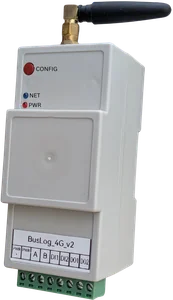
For an industrial IoT gateway on a 4G connection monitoring remote equipment: - Lightweight: Header overhead is as small as 2 bytes — ideal for constrained bandwidth - Persistent sessions: The broker retains subscriptions across disconnections — the gateway reconnects and picks up where it left off - QoS levels: You choose the delivery guarantee — at most once, at least once, or exactly once - Last Will: The broker can notify subscribers if the gateway disconnects unexpectedly — your monitoring system knows the device went offline
MQTT Architecture
[BusLog Gateway] ──── publish ────► [MQTT Broker] ◄──── subscribe ──── [Dashboard/App]
                                         │
                                    [Historian]
                                    [Alerting system]
                                    [Database]
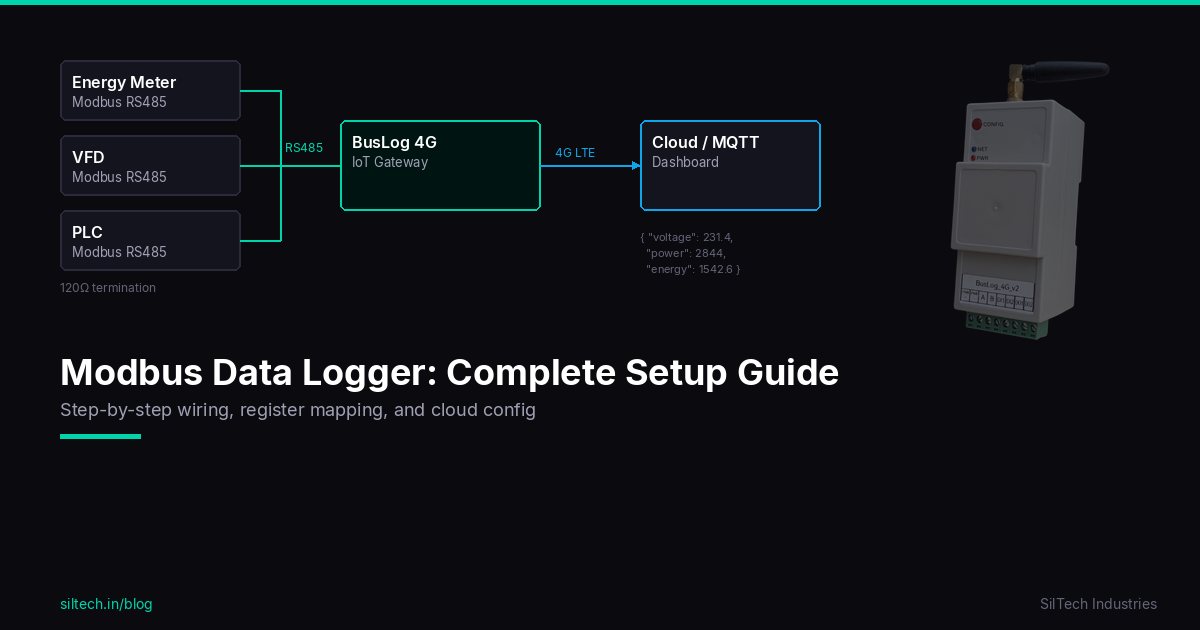
The key concept: the gateway and dashboard never communicate directly. Both connect to the broker. The gateway publishes data; the dashboard subscribes to it. The broker handles routing, persistence, and delivery guarantees.
This decoupling is what makes MQTT work well for industrial IoT: - Dashboard can be replaced without changing the gateway config - Multiple subscribers can receive the same data (historian + alerting + dashboard simultaneously) - Gateway can publish data even when the dashboard is offline — broker queues it
Choosing a Broker
| Option | Best for | Cost |
|---|---|---|
| Mosquitto (self-hosted) | Technical teams, full control | Free |
| HiveMQ Cloud | Quick start, managed | Free tier available |
| ThingsBoard | Complete IoT platform (broker + dashboard + alarms) | Free self-hosted / paid cloud |
| AWS IoT Core | Enterprise, AWS ecosystem | Pay per message |
| EMQX | High-throughput, enterprise | Free self-hosted |
For most SilTech BusLog deployments: - ThingsBoard — single platform handles broker, dashboard, alerting, and rule engine. Best for getting to live data quickly. - AWS IoT Core — if you're building on AWS infrastructure or need enterprise scale. - Mosquitto + Grafana — if you want full control and have a technical team.
The BusLog supports all of these — switch between them from the web UI without firmware changes.
Topic Design
MQTT topics are hierarchical strings. Good topic design makes your data organised and your subscriptions efficient.
Recommended structure for industrial IoT:
{company}/{site}/{gateway_id}/data
{company}/{site}/{gateway_id}/status
{company}/{site}/{gateway_id}/commands
Example:
siltech/pune_factory/BL-001/data       ← device data payloads
siltech/pune_factory/BL-001/status     ← gateway online/offline, signal strength
siltech/pune_factory/BL-001/commands   ← remote configuration commands
Why this structure matters:
- Subscribe to siltech/pune_factory/# to get all data from one site
- Subscribe to siltech/+/+/status to monitor online/offline status of all gateways
- The # and + wildcards let you build flexible subscriptions without changing the gateway config
Common mistakes:
- Flat topics like BL-001 — works, but doesn't scale when you have 50 devices
- Including dynamic values like timestamps in the topic — use the payload instead
- Topics starting with $ — reserved by the MQTT specification
QoS Levels
MQTT has three Quality of Service levels:
| QoS | Guarantee | Use case |
|---|---|---|
| 0 — At most once | Fire and forget. No acknowledgement. Message may be lost. | Non-critical telemetry, high-frequency data where occasional loss is acceptable |
| 1 — At least once | Message delivered at least once. May be delivered multiple times. | Most industrial monitoring — the default choice |
| 2 — Exactly once | Message delivered exactly once. Highest overhead. | Billing data, event logs where duplicates cause problems |
For industrial IoT monitoring: QoS 1 is the right choice for most applications. You want to know that your kWh reading was received, but the overhead of QoS 2 is rarely justified.
For control commands (writing to a relay, sending a setpoint): QoS 2 is appropriate — you don't want a command executed twice.
TLS Security
Plain MQTT over port 1883 sends data unencrypted. On a cellular connection, your sensor data is visible to anyone with the right tools.
For industrial deployments: always use MQTT over TLS (port 8883).
What TLS gives you: - Encrypted data in transit — nobody can sniff your process data - Server authentication — your gateway connects to your broker, not an impostor
For AWS IoT Core: mTLS (mutual TLS) with device certificates. AWS IoT issues a unique certificate per device. Even if someone intercepts the connection, they can't authenticate without the device certificate. The BusLog supports AWS IoT Fleet Provisioning — devices self-provision on first connection.
For self-hosted Mosquitto with TLS: 1. Generate a CA certificate and server certificate for your broker 2. Configure Mosquitto with TLS listener on port 8883 3. Enter the CA certificate in the BusLog web UI under Cloud Settings → TLS 4. Use username/password authentication for individual device credentials
Last Will and Testament (LWT)
LWT is MQTT's mechanism for detecting unexpected disconnections.
When a client connects to the broker, it registers a "last will" message — a topic and payload that the broker will publish automatically if the client disconnects without sending a proper disconnect packet (e.g., power failure, network drop, crash).
Configure in the BusLog:
- LWT Topic: siltech/site1/BL-001/status
- LWT Payload: {"status": "offline", "device": "BL-001"}
- QoS: 1
When the gateway goes offline unexpectedly, your dashboard/alerting system receives the LWT message and can trigger an alert: "Gateway BL-001 offline."
Without LWT, you'd only know a device went offline when you notice data stopped arriving — which might be hours later.
Payload Format
The BusLog publishes data as JSON. A typical payload:
{
  "device_id": "BL-001",
  "timestamp": "2026-03-22T10:05:00Z",
  "signal_strength": -72,
  "uptime": 86400,
  "devices": [
    {
      "id": "EM1",
      "name": "Main Incomer",
      "values": {
        "voltage": 231.2,
        "current": 45.3,
        "active_power": 10.4,
        "energy_kwh": 15420.6,
        "power_factor": 0.94
      },
      "units": {
        "voltage": "V",
        "current": "A",
        "active_power": "kW",
        "energy_kwh": "kWh"
      }
    }
  ]
}
Standard JSON — parse it with any platform. ThingsBoard, AWS IoT, Node-RED, InfluxDB — all handle this natively.
Testing Your Setup
Before deploying to site, test the MQTT connection from your desk:
MQTTX (free GUI client — recommended): 1. Create a connection to your broker with the same credentials as the BusLog 2. Subscribe to your data topic 3. Power on the BusLog and wait for the first upload 4. Verify data appears correctly
Mosquitto CLI (command line):
# Subscribe to a topic
mosquitto_sub -h your-broker.com -p 8883 -t "siltech/site1/BL-001/data" -u username -P password --cafile ca.crt

# Publish a test message
mosquitto_pub -h your-broker.com -p 8883 -t "test/topic" -m "hello" -u username -P password --cafile ca.crt
Common Issues and Fixes
| Problem | Cause | Fix |
|---|---|---|
| Gateway connects but no data | Wrong topic or wrong QoS | Check topic spelling (case-sensitive), verify QoS matches |
| Connection refused | Wrong credentials or port | Verify username/password, check port (1883 vs 8883) |
| TLS handshake failure | Wrong CA cert or expired cert | Re-export CA cert from broker, check cert expiry |
| Duplicate messages | QoS 1 with unstable connection | Normal behaviour — design your platform to handle duplicates (use timestamp to deduplicate) |
| Gateway offline alert missing | LWT not configured | Set LWT topic and payload in Cloud Settings |
| Data received out of order | Network issue + QoS 0 | Use QoS 1, let platform handle ordering by timestamp |
Summary
For industrial IoT deployments with BusLog gateways:
- Choose a broker — ThingsBoard for quick start, AWS IoT for enterprise scale
- Design your topics — hierarchical, with company/site/device structure
- Use QoS 1 for monitoring data, QoS 2 for control commands
- Enable TLS — always, on cellular and WiFi
- Configure LWT — know when devices go offline
- Test with MQTTX before site deployment
MQTT is reliable when configured correctly. The common failures are almost always credential issues, topic mismatches, or missing TLS certificates — all solvable in 10 minutes at a desk before the site visit.
Need help configuring MQTT for your BusLog gateway? Contact us.