A borewell telemetry device should do more than send occasional readings. For groundwater monitoring, it must collect reliable flow data, work in remote locations, handle weak networks, store readings during outages, and produce reports that plant and compliance teams can trust.
This guide explains how to choose the right telemetry device for borewell and groundwater monitoring projects.
Start with the monitoring objective
Before selecting hardware, define the purpose of monitoring.
Common objectives:
- CGWA or groundwater compliance reporting
- Borewell extraction tracking
- Pump runtime monitoring
- Water usage analysis
- Leak or abnormal flow detection
- Multi-site water management
- Remote maintenance visibility
A compliance-focused site may need more reporting and audit history. An operations-focused site may need faster alerts and pump diagnostics. Many industrial sites need both.
1. Confirm flow meter compatibility
The telemetry device should read the installed flow meter directly.
Check:
- Does the meter support Modbus RTU over RS485?
- What is the slave ID?
- What baud rate and parity are configured?
- Which registers contain flow rate and totalizer values?
- What data type and byte order are used?
- Does the meter provide forward, reverse, and net totalizer values?
For most industrial groundwater installations, reading the meter-native Modbus totalizer is better than estimating volume from pulses or manual readings.
2. Choose 4G connectivity for remote locations
Borewells are often installed away from offices, control rooms, and IT networks. LAN and WiFi may not be available.
A 4G telemetry device is usually better for:
- Remote borewells
- Industrial utility areas
- Outdoor pump houses
- Rural sites
- Sites where plant IT access is difficult
- Installations that need independent connectivity
Check signal quality at the final mounting location. A device that works with the panel door open may fail after the antenna is enclosed inside a metal panel.
3. Look for local data storage
Network failure should not create missing reports. The telemetry device should continue recording readings and upload them after the network returns.
Important behavior:
- Store readings with original timestamps.
- Show buffer status.
- Upload automatically after reconnection.
- Avoid duplicate records where possible.
- Resume operation after power restart.
Local storage is especially important for compliance telemetry because missing data periods create questions later.
4. Verify required data points
A good borewell telemetry device should be able to send:
| Data | Purpose |
|---|---|
| Flow rate | Current extraction rate |
| Cumulative totalizer | Daily/monthly volume reporting |
| Pump ON/OFF status | Runtime and fault interpretation |
| Meter serial number | Traceability |
| Borewell ID | Correct asset mapping |
| Timestamp | Accurate historical records |
| Gateway online status | Telemetry health |
| Signal strength | Network diagnostics |
| Power/tamper status | Data gap explanation |
For a deeper data checklist, read CGWA Flow Meter Telemetry: What Data Must Be Sent to the Portal?.
5. Check dashboard and reporting features
Hardware is only one part of the system. The dashboard must make the data useful.
Useful dashboard features:
- Live flow rate
- Daily and monthly extraction total
- Borewell-wise reports
- Multi-site view
- Last data received time
- Device online/offline status
- Alert history
- Export to CSV or PDF
- User roles for operator, manager, and admin
If reports require manual Excel work every day, the telemetry system is not doing enough.
6. Make sure alerts are practical
Recommended alerts:
- No data received
- Flow meter communication failure
- Pump ON with zero flow
- High flow rate
- Flow during expected shutdown
- Gateway offline
- Low 4G signal
- Power failure
- Tamper event, where available
Alerts should be sent to people who can take action. For example, communication loss should go to maintenance, while monthly extraction summaries may go to management.
7. Check installation and enclosure needs
Borewell panels may face heat, dust, vibration, poor wiring, and power fluctuations.
Check the device for:
- Suitable input power range
- Stable terminal connections
- DIN rail or panel mounting
- External antenna option
- Industrial enclosure compatibility
- Clear status LEDs
- Reverse polarity protection
- Reliable restart after power failure
A telemetry device should be easy to inspect during a site visit. Clear LEDs and diagnostics reduce troubleshooting time.
8. Confirm protocol and integration options
The device should be able to send data to the required cloud or portal.
Common options:
- MQTT
- TCP
- HTTPS / REST API
Ask whether endpoint, port, credentials, topic, and payload format can be configured. This is important if the device needs to connect to an existing company dashboard or third-party portal.
9. Plan commissioning before installation
A reliable project needs a proper commissioning checklist.
Before handover:
- Match dashboard flow rate with the meter display.
- Match cumulative totalizer with the meter display.
- Confirm borewell ID and meter serial number.
- Test pump status input.
- Test power restart recovery.
- Test network loss and data buffering.
- Test alerts.
- Export a sample report.
- Confirm user access.
- Record SIM number, device ID, and installation photos.
These steps prevent future disputes about whether the issue is the meter, gateway, wiring, SIM, or dashboard.
Flow Telemetry 4G or BusLog 4G?
Use Flow Telemetry 4G when the application is focused on flow meter telemetry for borewell, groundwater, water supply, or flow monitoring.
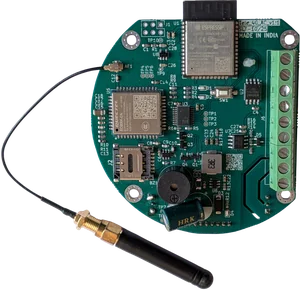
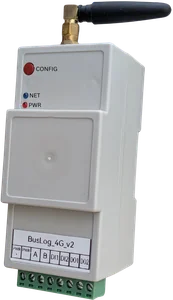
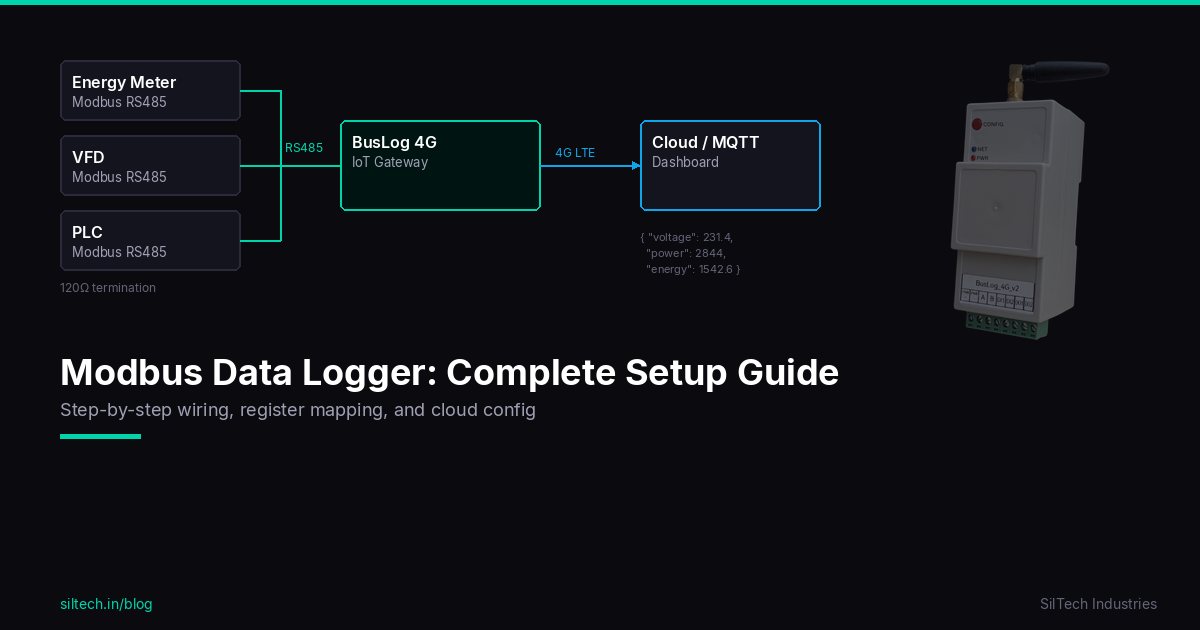
Use BusLog 4G when the site needs a broader industrial gateway that can read flow meters plus other devices such as energy meters, PLCs, VFDs, sensors, or digital I/O.
For the overall compliance context, see CGWA Groundwater Telemetry Requirements: Complete Guide for Industries.
Final advice
Choose a borewell telemetry device that can survive field conditions, read meter data accurately, work over 4G, buffer data during outages, and generate clear reports. The best device is the one that keeps producing trustworthy data after the installation team leaves the site.