CGWA groundwater telemetry is not only about installing a digital flow meter. The real requirement is dependable data: the system should capture the right values, identify the correct borewell or extraction point, transmit readings reliably, and preserve records for review.
This guide explains the typical data points that a CGWA-ready flow meter telemetry system should send to a portal or cloud dashboard.
Important: Exact reporting requirements can vary by NOC condition, state, industry category, and the latest CGWA or local authority instruction. Treat this as an engineering checklist and confirm the current requirement for your site.
Why the data packet matters
A flow meter may show the correct value on its display, but the compliance system depends on what is transmitted and stored.
A good telemetry packet should answer:
- Which site sent this data?
- Which borewell or flow point does it belong to?
- Which meter produced the reading?
- What was the flow rate?
- What was the cumulative extraction volume?
- Was the pump running?
- Was the telemetry device online and healthy?
- Was there any power, communication, or tamper issue?
- When exactly was the reading captured?
If any of these answers are missing, the dashboard may be difficult to audit later.
1. Site ID and location
Every data packet should identify the site clearly.
Useful fields:
- Company or consumer ID
- Site name
- Plant/location name
- Address or area code
- Latitude/longitude, where required
For companies with multiple factories or borewells, site identification prevents data from getting mixed across locations.
2. Borewell ID or extraction point ID
Many sites have more than one borewell or water extraction point. Each one should have a unique ID.
Example:
site_id: jaipur-factory-01
borewell_id: bw-03
meter_name: main-borewell-flow-meter
Use the same ID in installation records, dashboard labels, and reports. Avoid generic names like “Meter 1” unless they are mapped clearly to the physical site.
3. Meter serial number
The meter serial number links telemetry data to the installed physical instrument.
The system should record:
- Flow meter make and model
- Serial number
- Calibration details
- Pipe size
- Installation point
- Modbus address
If a meter is replaced later, the dashboard should preserve historical data while recording the new serial number from the replacement date.
4. Timestamp
Every reading needs a reliable timestamp.
The timestamp should represent when the gateway captured the meter reading, not only when the server received it. This matters when the network is down and data is uploaded later.
Recommended behavior:
- Gateway time is synchronized automatically.
- Each reading carries its own capture timestamp.
- Buffered records keep original timestamps during network failure.
- Dashboard shows both reading time and received time where useful.
Without accurate timestamps, daily and monthly reports become unreliable.
5. Flow rate
Flow rate shows the current extraction or discharge rate.
Common units:
- m³/hr
- LPM
- LPS
Flow rate helps detect abnormal conditions:
- No flow during pump operation
- Excessive extraction rate
- Sudden flow drop
- Flow when pump should be off
- Flow meter malfunction
The value should be validated against the physical meter display during commissioning.
6. Cumulative flow totalizer
The cumulative totalizer is one of the most important values for groundwater telemetry.
Typical fields:
- Cumulative forward flow
- Cumulative reverse flow, if available
- Net cumulative flow, where applicable
- Daily consumption derived from totalizer difference
- Monthly consumption derived from totalizer difference
For reporting, cumulative volume is often more important than instant flow rate because it shows total extraction over time.
Never depend only on calculated flow rate integration if the meter already provides a trusted totalizer register. Read and store the meter-native totalizer whenever possible.
7. Pump ON/OFF status and runtime
Pump status can be captured through a digital input, starter contact, relay, or controller Modbus data.
Useful fields:
- Pump ON/OFF
- Daily runtime
- Monthly runtime
- Number of starts
- Pump ON with zero flow duration
Runtime helps explain water extraction patterns. It also helps detect dry run, valve closure, pump wear, or wrong wiring.
For example:
pump_status: ON
flow_rate_m3h: 0.0
condition: pump_on_no_flow
This is more actionable than either value alone.
8. Tamper and power status
A telemetry system should report its own health.
Useful status fields:
- Main power status
- Gateway restart event
- Enclosure open/tamper input, where available
- Meter communication failure
- Antenna/network issue
- Configuration change event, where supported
Power and tamper history help explain data gaps and maintenance events.
9. Communication health
A dashboard should not only show water data. It should show whether the telemetry path is working.
Track:
- Gateway online/offline status
- Last data received time
- 4G signal strength
- SIM/network operator
- MQTT/TCP/HTTPS connection status
- Local buffer count
- Last meter poll status
This makes troubleshooting faster. If no data is visible, the team can determine whether the problem is meter communication, gateway power, SIM network, or cloud upload.
Example telemetry payload
A practical data packet may look like this:
{
  "site_id": "factory-jaipur-01",
  "borewell_id": "bw-02",
  "meter_serial": "FM-2026-1187",
  "timestamp": "2026-05-31T10:00:00+05:30",
  "flow_rate_m3h": 11.8,
  "total_forward_m3": 28451.6,
  "total_reverse_m3": 0.0,
  "pump_status": "ON",
  "pump_runtime_today_min": 185,
  "gateway_online": true,
  "signal_dbm": -73,
  "meter_comm_status": "OK",
  "power_status": "NORMAL"
}
The exact schema may differ, but the portal should preserve the same core information.
Common data mistakes
Missing totalizer
Only sending flow rate makes daily totals less dependable. Read the meter totalizer directly.
Wrong units
Mixing LPM, m³/hr, and m³ without clear labels creates reporting errors.
No borewell ID
If a site has multiple extraction points, generic device names create confusion.
No offline status
If the device stops sending data, the dashboard should show why or at least show last communication time.
No local buffering
Network failure should not delete the data history. The gateway should store readings locally and upload after reconnection.
Recommended implementation
For CGWA-style telemetry, choose a system that can:
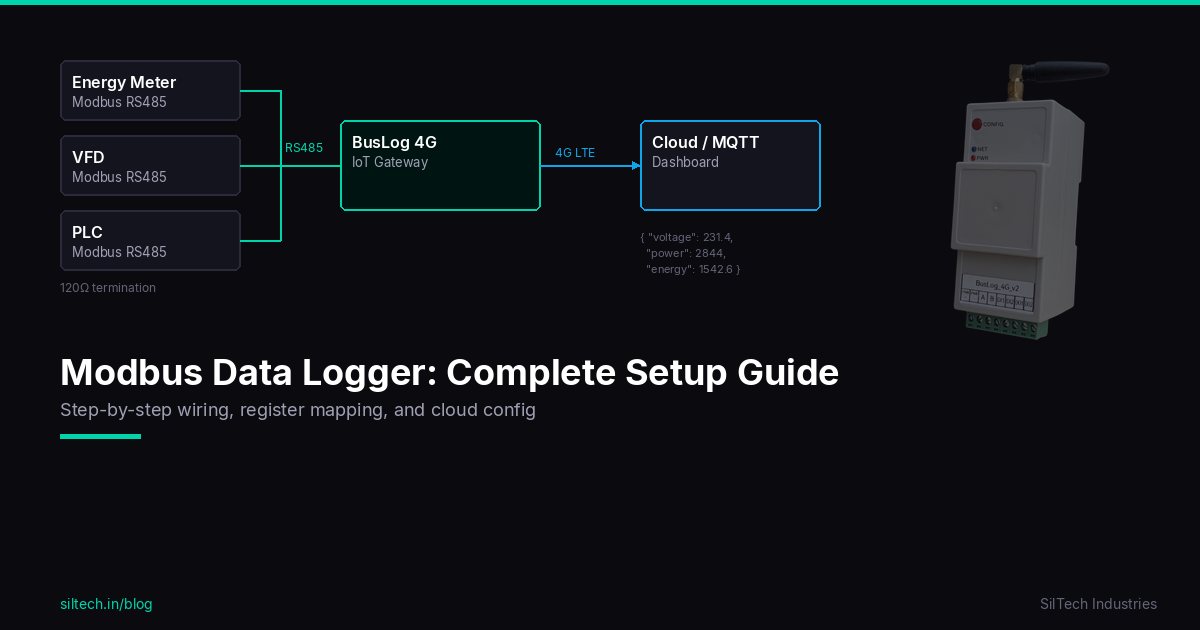
- Read flow meter data over Modbus RS485.
- Capture meter-native cumulative totalizer values.
- Add site, borewell, and meter identification.
- Send data over 4G using MQTT, TCP, or HTTPS.
- Store data locally during network failure.
- Show device health and last communication time.
- Generate daily/monthly reports.
- Alert on zero flow, communication loss, tamper, and abnormal extraction.
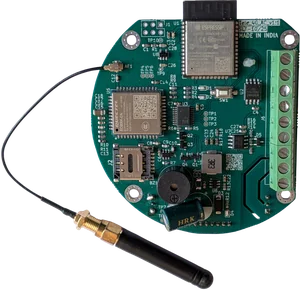
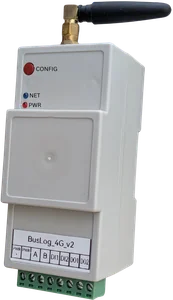
SilTech Flow Telemetry 4G and BusLog 4G are designed for these kinds of water and groundwater telemetry deployments.
For the broader compliance overview, read CGWA Groundwater Telemetry Requirements: Complete Guide for Industries.
Final advice
A CGWA telemetry system should be judged by the quality of its data, not only by the presence of a flow meter. Make sure every reading is identified, timestamped, validated, transmitted, stored, and easy to report. That is what turns a flow meter installation into a dependable telemetry system.