CGWA telemetry projects can look straightforward: install a flow meter, connect a gateway, send data to a dashboard. In the field, most problems come from small installation mistakes — wrong meter selection, weak 4G signal, incorrect RS485 wiring, missing totalizer registers, or incomplete commissioning.
This guide covers common CGWA telemetry installation mistakes and how to avoid them.
Mistake 1: Choosing the wrong flow meter
The flow meter is the foundation of the telemetry system. If the meter is unsuitable, the gateway cannot fix the data.
Common issues:
- Meter not suitable for pipe size or flow range
- No Modbus output
- No accessible totalizer register
- Wrong meter type for the fluid or installation
- Poor grounding
- Incorrect flow direction
- Not enough straight pipe length
For groundwater and industrial water telemetry, electromagnetic or ultrasonic flow meters are commonly used. Confirm the meter has a digital communication interface and provides the required totalizer values.
Mistake 2: Not reading the meter-native totalizer
Some systems calculate total volume from flow rate. This can work, but it is usually better to read the meter’s own cumulative totalizer register.
Why totalizer matters:
- It is the meter’s native accumulated value.
- It survives short communication gaps.
- It is easier to compare with the physical meter display.
- It is useful for daily and monthly reports.
During commissioning, compare dashboard totalizer with the meter display. If they do not match, fix register mapping before handover.
Mistake 3: Poor RS485 wiring
RS485 wiring mistakes are very common.
Typical problems:
- A/B polarity reversed
- Star wiring instead of daisy chain
- No termination where required
- Cable routed near VFDs or power cables
- Shield connected incorrectly
- Loose terminals
- Different baud/parity settings between meter and gateway
Symptoms include random communication failure, unstable values, delayed polling, or complete no-response.
For wiring detail, read RS485 Wiring Best Practices.
Mistake 4: Weak 4G signal after final mounting
A telemetry device may work during testing and fail after the panel door is closed. Metal enclosures can reduce signal strength significantly.
Avoid this by:
- Testing signal with the device in final position
- Using an external antenna where needed
- Keeping antenna away from high-noise wiring
- Checking signal strength in the dashboard
- Verifying upload stability over time
Do not judge signal quality only by whether the device connects once. Check whether uploads remain stable.
Mistake 5: No local data storage
Network failure is normal in remote telemetry. If the gateway does not store data locally, every outage creates missing records.
A reliable system should:
- Continue polling the meter during network failure
- Store readings with timestamps
- Upload buffered data after reconnection
- Show local buffer status
- Avoid duplicate uploads where possible
For compliance-style monitoring, local storage is not optional. It protects report continuity.
Mistake 6: Unclear borewell and meter naming
Many reporting issues are caused by poor asset naming.
Avoid names like:
- Meter 1
- Device 2
- Flow A
- Test Gateway
Use clear identifiers:
site_id: jaipur-factory-01
borewell_id: bw-02
meter_name: borewell-02-main-flow-meter
The same naming should appear in installation documents, dashboard labels, alerts, and reports.
Mistake 7: Missing pump status
Flow data is important, but pump status adds context.
Without pump status, it is harder to interpret:
- Zero flow
- Unexpected flow
- Runtime hours
- Pump failure
- Dry run conditions
A digital input from the starter or relay can show whether the pump is ON. Combining pump status with flow enables stronger alerts, such as “pump ON but no flow”.
Mistake 8: No alert testing
Many installations configure alerts but do not test them before handover.
Test at least:
- Gateway offline
- Meter communication failure
- Zero flow condition
- Pump status change
- Power restart
- High flow threshold, if used
Also confirm who receives each alert. An alert sent to the wrong person is almost the same as no alert.
Mistake 9: No power restart test
A telemetry system must recover automatically after power failure.
During commissioning:
- Power off the gateway.
- Power it on again.
- Confirm it reconnects to 4G.
- Confirm it resumes Modbus polling.
- Confirm dashboard updates.
- Confirm no manual intervention is needed.
If the system requires a laptop after every power cut, it is not field-ready.
Mistake 10: Incomplete handover documentation
After installation, the maintenance team should know what was installed and how to check it.
Document:
- Site name and borewell ID
- Flow meter make, model, serial number
- Gateway device ID and SIM number
- Modbus settings
- Register map used
- Dashboard URL and user roles
- Alert recipients
- Installation photos
- Antenna position
- Commissioning test results
Good documentation makes future troubleshooting much easier.
Recommended commissioning checklist
Before closing the job, verify:
| Check | Status |
|---|---|
| Flow direction correct | ☐ |
| Meter display value matches dashboard | ☐ |
| Totalizer value matches dashboard | ☐ |
| Pump status input tested | ☐ |
| 4G signal stable after panel closure | ☐ |
| Local buffering tested | ☐ |
| Power restart tested | ☐ |
| Alerts tested | ☐ |
| Reports exported | ☐ |
| Handover document completed | ☐ |
For the overall system requirement, see CGWA Groundwater Telemetry Requirements: Complete Guide for Industries.
Which SilTech device should you use?
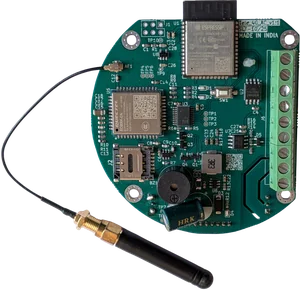
Use Flow Telemetry 4G for compact flow-meter-focused telemetry projects.
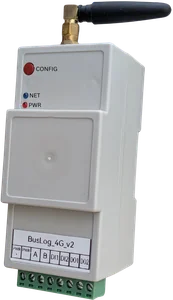
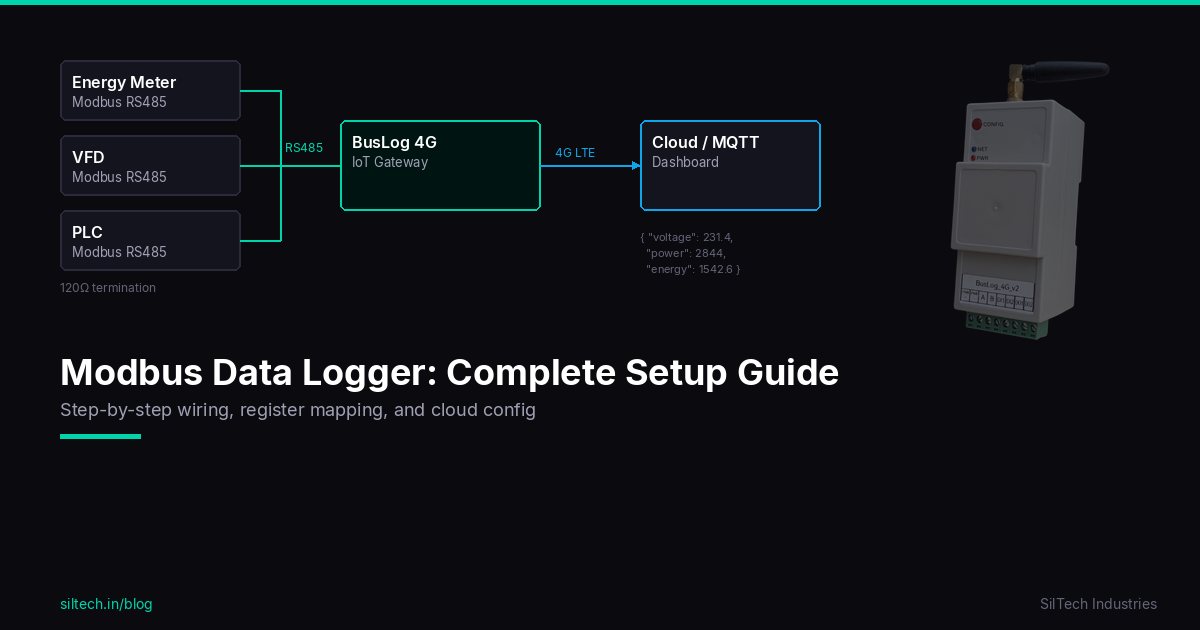
Use BusLog 4G when the installation needs broader Modbus data logging, multiple devices, or additional industrial monitoring requirements.
Both approaches should be commissioned with correct meter mapping, stable 4G signal, local storage, and verified reports.
Final advice
Most CGWA telemetry problems are preventable. Select the right meter, read the totalizer, wire RS485 correctly, test 4G signal in the final position, enable local storage, and complete a proper commissioning checklist. The installation should be judged by whether it keeps producing trustworthy data after the site team leaves.